
Feature requests
 Starbase101 » Feature requests
When clicking on "Kits" in the top banner, the filters list should be shown for filtering the huge list of kits by Manufacturer, Scale, etc.
All comments (5) » 8 December, 19:45
 bughunter
Scroll down to the "Browse" section and click one of the brands, scales ... => then it goes to the selection and the right filters are active.
9 December, 18:39
Starbase101 AuthorSafari on Tahoe has no "view more" option. It seems a roundabout way to scroll to the bottom of a page to see a Browse section, click on something arbitrarily just to "reload" the page to see a filters pane, and then remove the arbitrary selection and begin applying "real" filters. Seems to me it would be a lot more direct if the filters pane was displayed right on the main product pages (Kits, Paints, Books, etc).
9 December, 19:49
Starbase101 » Feature requestsWhen trying to add a kit:
An error occurred while processing your request.
Reference #27.1a532217.1765226523.301cb6fc
errors.edgesuite.net...1765226523.301cb6fc
8 December, 20:42
 Adolf Aragon » Feature requests
when i download my stash, how do i download also the date i inputted ?
6 December, 16:38
bughunter » Feature requestsThere seems to be a problem with filtering?
If I go the "For sale" tab of a mate, here an example:
groggyfroggy
543 kits for sale, then filter for 1:48 -> reduced correctly
But then I can't select kits and filter for the "Static model kits" 🙁 Should be less, but it do not work, also not in different order.
The numbers in brackets in the "Product type" section are also wrong and not updated.
Tried new Chrome, no difference.
Thanks!
1 5 December, 19:27
bughunter » Feature requestsIf a project has more then one attached album, which one is displayed below the main kit? If you view the kit, I mean the builds shown in the lower part. Is there a way to control this?
1 5 December, 19:01
 Robin Fanner » Feature requests
Problem: When an item is a multi-part box set all of the individual items in that set are forced to possess the same status.
Example: In Battle Of Britain: Icons Of Aviation Revell set No. 05711 there are four items. I have that set but one of the items is lost and I gave another away leaving two that are started. Marking one of them as lost marks them all as lost, and the same applies to started, completed, sold or any status.
Request: It would be useful to mark each item in a multi-part set with a different status, thus accurately reflecting the reality of ones collection.
3 December, 17:41
 Mike Bird » Feature requests
I'm seeing inconsistent filtering of "Hot Kits" when filtering by "My Scales".
My favorite scales configuration is:
1:24
1:35
1:48
1:72
Steps to reproduce:
- Got to scalemates.com/kits/hot.php?s=all
- See Tamiya F-14D 1:72 (Grumman F-14D Tomcat (Tamiya 60795, 1:72)) and Airfix Mosquito 1:72 (de Havilland Mosquito B.XVI/B.35/TT.35 (Airfix A04070, 1:72)) in the top few listings
- Change scales to "My" (URL becomes scalemates.com/kits/hot.php?s=my)
- No longer see Tamiya F-14D 1:72 and Airfix Mosquito 1:72 in the list
- (At first I thought that 1:72 kits weren't being included but...)
- I _do_ see the Clear Prop MiG-19PM 1:72 (MiG-19PM (Clear Prop! CP72057, 1:72)) in the list


3 December, 16:48
 Benjamen Dees » Feature requests
Would love to see a "Choose for Me" feature that randomly chooses your next build from your stash items.
1 1 December, 18:56
 gorby
gorbyYou could use a random number generator to choose for you. And then count from the top of the stash list (admittedly that may be a problem if there are thousands of kits in your stash 😄 ).
I've done it for you and your next build is:
Bumblebee (Mu Model YM-L064-B-C, No)
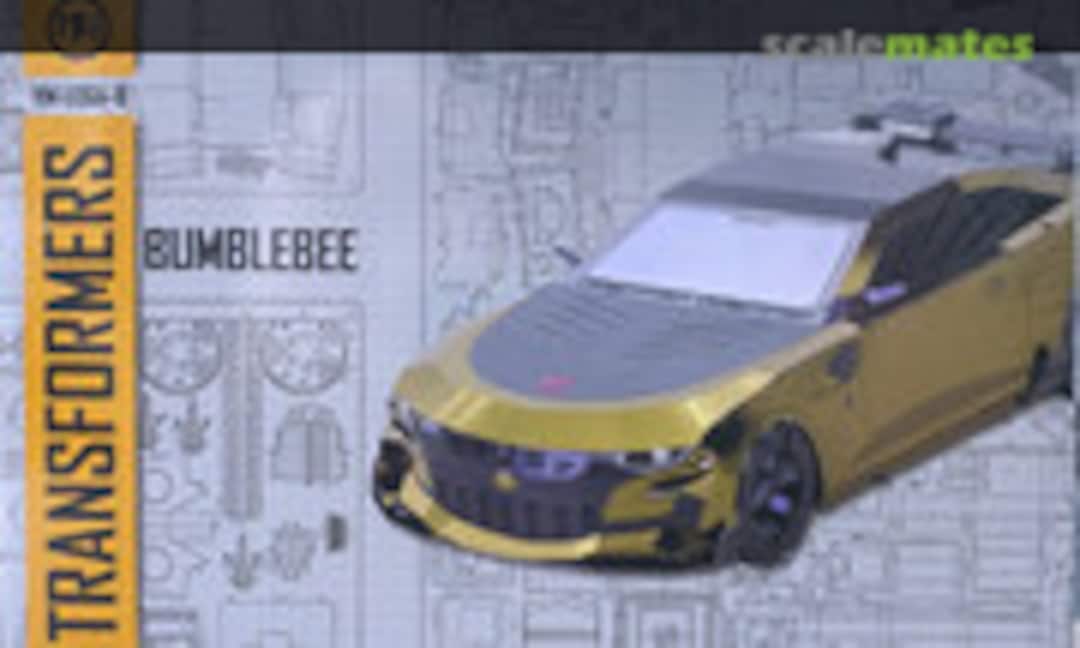
;)
2 3 December, 08:13
Benjamen Dees AuthorThank you! What brought up the idea for the request was I am also an avid reader and I use Fable to track my books. They have the feature and it was something I realized I wanted without extra work on my end. Click a button and it shows you the book along with basic details of the book.
1 3 December, 14:36
 ModellingJeff » Feature requests
When I go to the Full history of a Tamiya 1:48 Zero, because there are so many entries and Tamiya is in the middle, I can neither see the years across the top or access the scroll bar at the bottom while keeping the Tamiya entries visible, which makes it hard to navigate. Would it be possible to add the functionality to collapse the brands I'm not interested in (i.e. if I wanted to compare just, say, Tamiya and Hasegawa) or if that's not possible, a pick list of some sort?
1 24 October, 17:03
 Adrian
Yes, good suggestion - but I have another one:
Basically display the history in a seperate frame and fix the top bar (years) and the bottom bar (scroll left/right) inside this frame. Now can scroll up/down the data how you need.
28 October, 19:24
 Skyhiker » Feature requests
It be nice if we could get a message telling us when someone accepts a friend request.
2 December, 01:32
bughunterJust a info: At the moment you can see this in the header "Friendship requested", once he accepted this will be replaced by "Remove from mates", and of course you can found him in your mates list.
1 2 December, 22:49
 Spanjaard » Feature requests
there is something strange at how the site is doing the alphabetical order sometimes, if you looks at the following search
SCM Search: 72-01
the brand is in principle, in alphabetical order, and most of it is right, except when you get to the end.... the last names are
Yellowhammer Models (1)
ZGPMS (1)
Zodemacom (1)
Armycast M&M (2)
L&M Resin Kits (1)
the last two should not be at the end of list.
All comments (5) » 29 November, 21:58
 Spanjaard » Feature requests
When filtering my stash to see items under Harder & Steenbeck i see the following in the list of brands
Harder & Steenbeck (0)
Harder & Steenbeck (22)
that is strange.....
And earlier today, I had something strange with this brand, in the list of brands, Harder & Steenbeck was appearing at the very bottom, after brands starting with Z. I can not duplicate the issue now, and i am not sure if i was searching for a part number or checking my stash. but it was on my phone under android, using firefox.
1 29 November, 22:28
 Martin Oostrom
I don't like to say this, but Spanjaard isn't crazy. I saw It too on his phone.
29 November, 22:49
Spanjaard » Feature requestswhen a german user changes his profile picture, the message (in English page) is "xxxx changed sein profile picture". I think "sein" is german 😉
Planned
29 November, 09:59
Spanjaard » Feature requestsif i click go and see my albums or projects, the search box on top of the site changes also to albums or projects, and then seems to keep coming back to it. so every time i want to search something, i have to change from albums or projects to all. it is quite annoying. using firebox under ubuntu. latest version of firefox.
28 November, 15:34
Spanjaard Authoronce i search once with "all" it remains there. but as soon as i go projects, albums, stash it changes to projects, albums or kits.... would it be possible to keep that in all (or last option used) without it changing according to the page visited?
28 November, 15:36
 Greg B » Feature requests
I saw recently you have a lot of different "stalemates" Such as Die Cast etc... You may want to list them on the cover page, I have no idea where to find that list.
Also would love to see this style data base for music, albums, tapes, Cd etc...
25 November, 10:56
 Ken F » Feature requests
It would still be nice if we could choose between injected molded and 3D kits on the New Releases page so we can weed out the gazillion hits for little 3D bits that tend to flood the page.
1 20 November, 11:08
bughunterThe "little 3D bits" are mostly conversion sets, so you can filter for kits and then Static models kits.
Ok, there are 3D printed full kits in the list. That information is somehow available in the kit content section, but there are also injection kits with resin parts e.g. Eduard Profipack. So it would be not easy to filter this and it is not always filled.
21 November, 15:29
Ken F AuthorEduard kits would still be listed as injected molded kits. Resin, 3D or photo etch detail parts wouldn't change that.
26 November, 12:19
 Spanjaard » Feature requests
today I see.a couple of albums from different usea where some random pictures have horizontal lines on them. maybe a coincidence, or maybe an error when files are processed? never seen ir before on SCM. see
Mercedes-Benz TLF 16/25 | Album by Qwertzel (1:24) picture 4 and
Completed dio | Album by agus636 (1:35) picture 1
23 November, 22:24
 J4Juliet » Feature requests
Is it possible to rotate pictures in box content section?
I uploaded some photos for this kit: Lancia Fulvia HF (Italeri 3670, 1:24)

And some of them have ended up rotated and I can't see how to rotate them correctly.
13 November, 16:35
Spanjaardrotation of pictures is probably due to EXIF data stored in the image. if you see an image with wrong orientation, download again, rotate it in your computer and upload again I believe EXIF data is removed from downloaded files (maybe at upload point). if you rotate pictures that you have taken with your camera, when you upload the , EXIF data is still there and that is why they are rotated. option to rotate boxeart would be nice, but I think it has been requested before
1 20 November, 12:23
J4Juliet AuthorThanks for your help, I've fixed these now. When I downloaded and rotated the images on my computer it just updated the EXIF data but I then managed to find a way to remove the EXIF data and sort it.
20 November, 18:55
 Christian W » Feature requests
What comes to my mind everytime, I'm using the News Feed (Show: Trade - Threads: All - Scales: My - Topics: My). Isn't it possible, to filter the list by Country (or currency)?
1 20 November, 10:44

 Martin Bishop » Feature requests
When selecting a marking option for a project, would it be possible to add your own as sometimes people add there own markings that are not available with the kit or as aftermarket.
Planned
4 4 November, 10:51
J4JulietThis is a nice idea, I have a project I would use this on if it was available.
2 13 November, 16:32
 Colin Francis » Feature requests
In the notification dropdown up top can either the country flag or currency type be displayed in the list of members who “sells an item on your wishlist” instead of having to click each one to find out?
Planned
3 18 November, 08:55
 Yngve N@Feature Requests
Is it a job for supervisors to link a rebox when the original and the new rebox are from different brands?
See discussion below and feel free to link if someone knows how
SCM Newsfeed
See discussion below and feel free to link if someone knows how
SCM Newsfeed
Started
17 November, 18:10
Spanjaard » Feature requestswhen checking a shop page, we see the matches between their stock and our wishlist. it will be nice to be able to filter that, to select topics scales, etc. For example, if I have a model and two detail sets for it in my wishlist and the shop has all of them, I need to manually search or browse up and down to manually find them.
1 14 November, 21:55
Spanjaard » Feature requestswhen checking SCM Shop: MBK Modellbau König, i see the items that they offer that i have in my wishlist. Luftwaffe Pilots and Ground ..er Uniform (ICM 48086, 1:48) appears 4 times.
if i follow the links two go to the correct item in MBK website, the other two, to a different kit modellbau-koenig.de/..-Luftwaffe-Personnel (same figures, but with an Bf-109F-4)
In the product page for this kit, MBK appears twice, and when i follow the links, one of them is ok, the other is a different kit (same as before, modellbau-koenig.de/..-Luftwaffe-Personnel)

Started
1 14 November, 21:52
 Neil Wellman » Feature requests
Useful, as with Hobby Color Convertor, to have original "official" listed (eg RLM) so paints can be compared with the originals (and yes, I know the issues about precise shades).
Implemented
14 November, 11:21
 scalemates
I think we have that already?
if you click one of the RLM colors you will see all "related" colors
scalemates.com/colors/palette.php?id=2
14 November, 12:05
Yngve N » Feature requestsThere's something odd with 'Updates' section (sometimes). I think it is connected to earlier filter choices? Usually I don't see tools or paint there but if I filter updates they show up. Problem is when I change back to All sections. If I'm lucky I can see everything added today but below today's updates it's back to paint, utensils or whatever I searched for earlier.
Is this a bug or does anyone know a way around this?
14 November, 11:03
Spanjaard » Feature requestsmaybe make Scalemates FAQ a bit more visible would be a good idea. the link is only available at the bottom of some pages, but the newsfeed for example basically has no bottom, since you can scroll down forever.
maybe in the same level asl data suggestions (under for sale), in the little box in the right top corner, when in the newsfeed.
1 13 November, 14:09
 Bob Hall » Feature requests
Is it possible to get a category for "Junkyard" as I have a box of old Blown Up kits that I have no intention of trashing, but when someone is looking for a part or piece, I can reference or someone can see if there is a part they could use from a blown up kit, kind of like an actual car junkyard or boneyard.
All comments (9) » 6 5 November, 18:11
 Rich_6 » Feature requests
I cannot get export kits to PDF to work properly.
Implemented
10 November, 21:04
 playtime 222 » Feature requests
I've been seeing the first line of a pic description in a photo album in list view being half obscured recently on Android. I have a screenshot but don't know where to park it.
Started
All comments (5) » 11 November, 12:41
playtime 222 AuthorI think I first saw it last week. I can't be sure. Was never zoomed in. Different album last week to the crusader one today. But I see you have a repo now.
11 November, 16:34
Spanjaard » Feature requestsI am having problems changing the order of pictures in o e album. I go manage, advanced, change the order, when I look again in the album, they are back to where they were before. I tried 3 or 4 times, and got tired of it. deleted the pictures and uploaded them again, one by one in the correct order....
Started
11 November, 12:13
 Audrius N » Feature requests
hi. I have noticed that when I activate selection Scales: My and Topics: My, some items are not listed nevertheless they are from "My" selection (both topics and scale). For example the Hot kits list hides some of My items and topics.
Have this been experienced by other users as well?
Started
5 November, 11:31
 Conor » Feature requests
I think it would be great to be able to allocate part of a accessory to a project. For example, many of the Reskit missile boxes have four missiles, but the models I intend to build with them only require two each. I'd love to be able to assign half of the accessory kit to each.
1 6 November, 19:23
scalematesyou can assign the same product to multiple projects?
agreed you can't say 50% or 3.7%, but not sure if that is really needed?
11 November, 12:52
Skyhiker » Feature requestsI can't manage any of my albums. I hit the button and nothing happens. I can upload and edit but not manage. Anyone else have this problem?
Implemented
All comments (5) » 6 November, 20:51
/search.php?q=*&page=features
search-solr.php?lang=en
35
35
/search.php?q=*&page=features
35
todo
